

Everything below is for the web app on a computer. The trainings and exams on offer depend
on your organization.
Table of contents
- Step 1 — Browse the Marketplace
- Step 2 — Read the training’s page
- Step 3 — Order from the cart
- Step 4 — Follow your order
- Good to know
Step 1 — Browse the Marketplace
Click Marketplace in the top bar. Three tabs show: Training Catalog, Exam Catalog and Instructors. The Filters button narrows the list.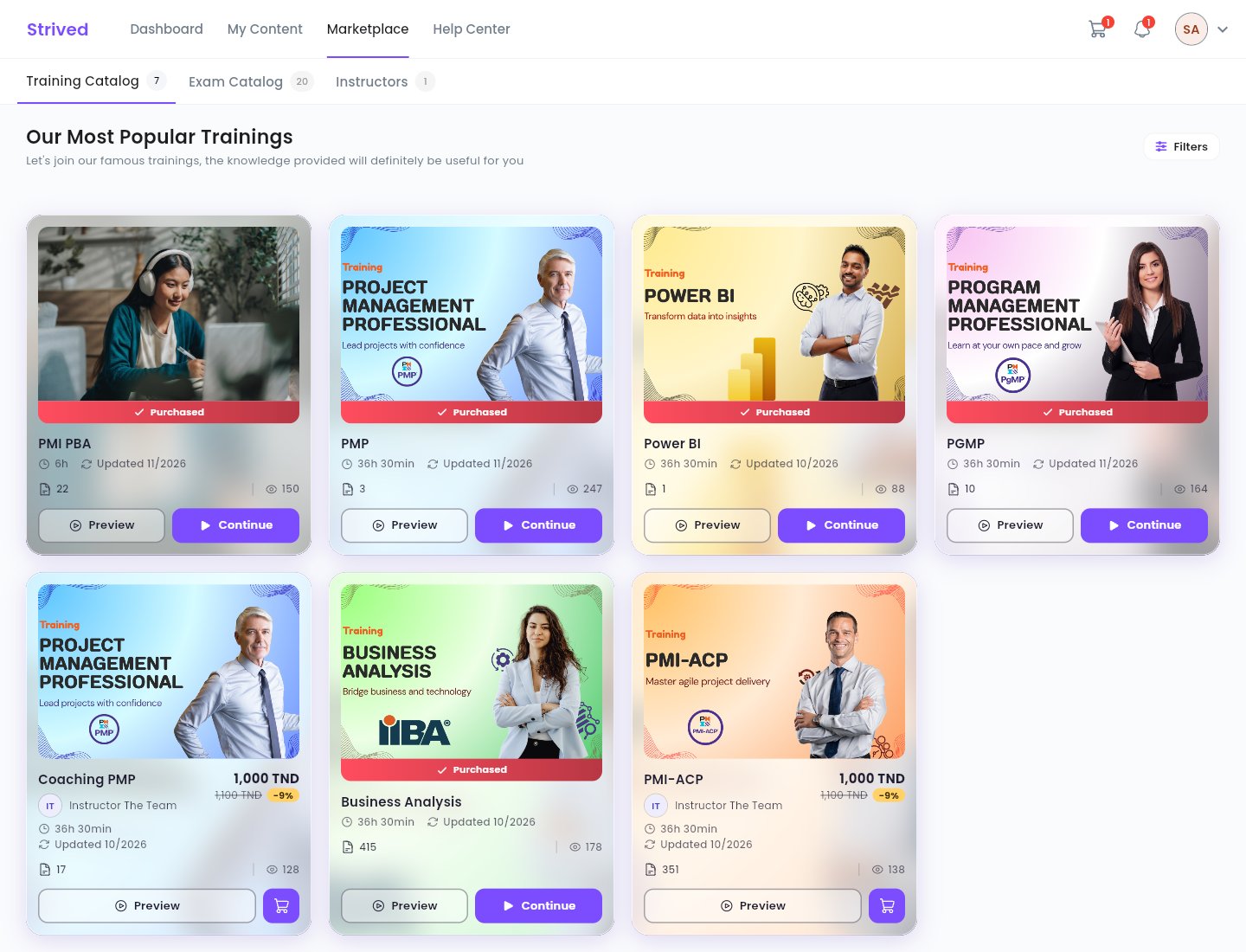
Marketplace → Training Catalog.
Step 2 — Read the training’s page
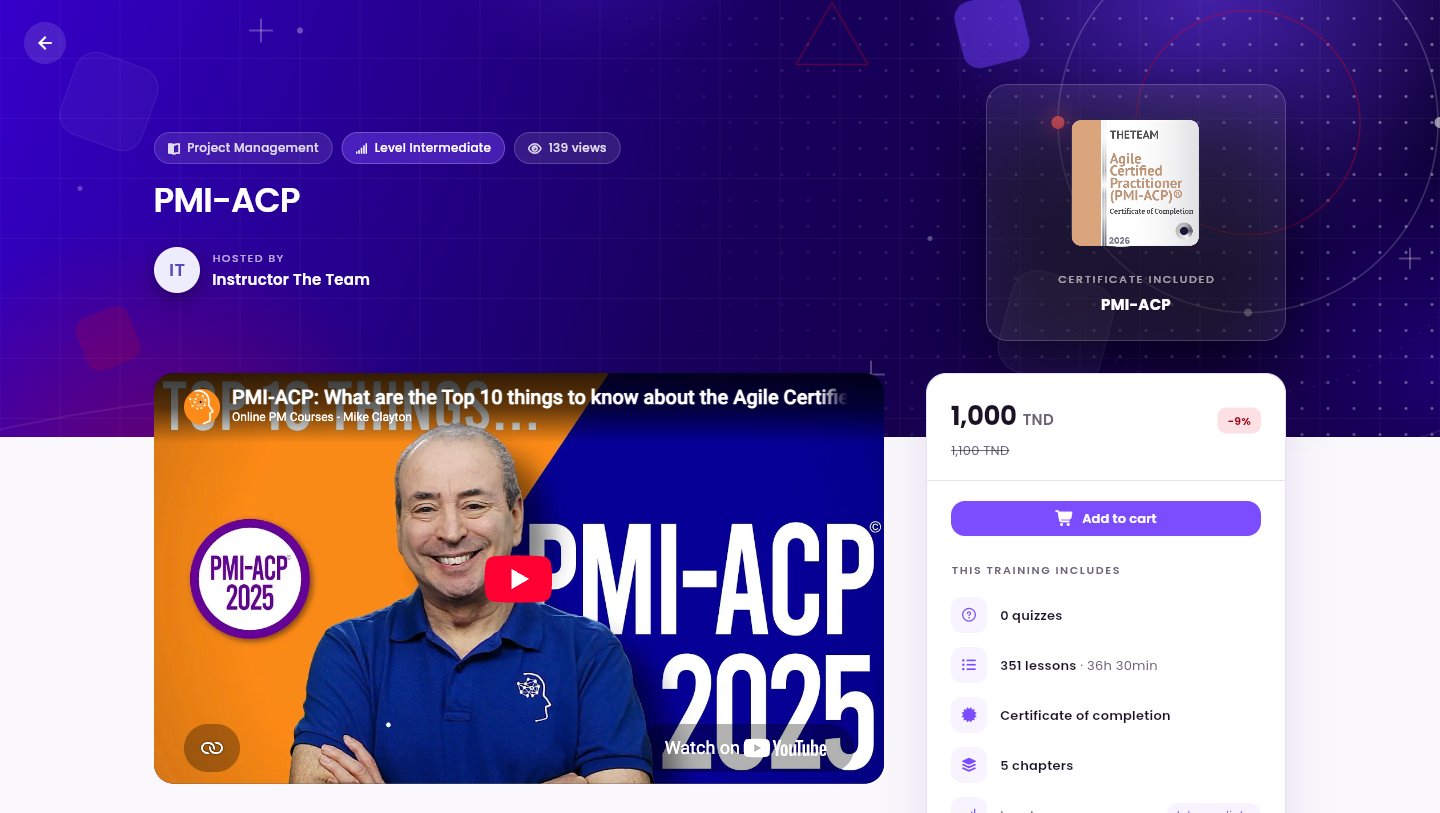
A training's page: overview on the left, price and what is included on the right.
Step 3 — Order from the cart
Click the cart icon at the top right of the screen.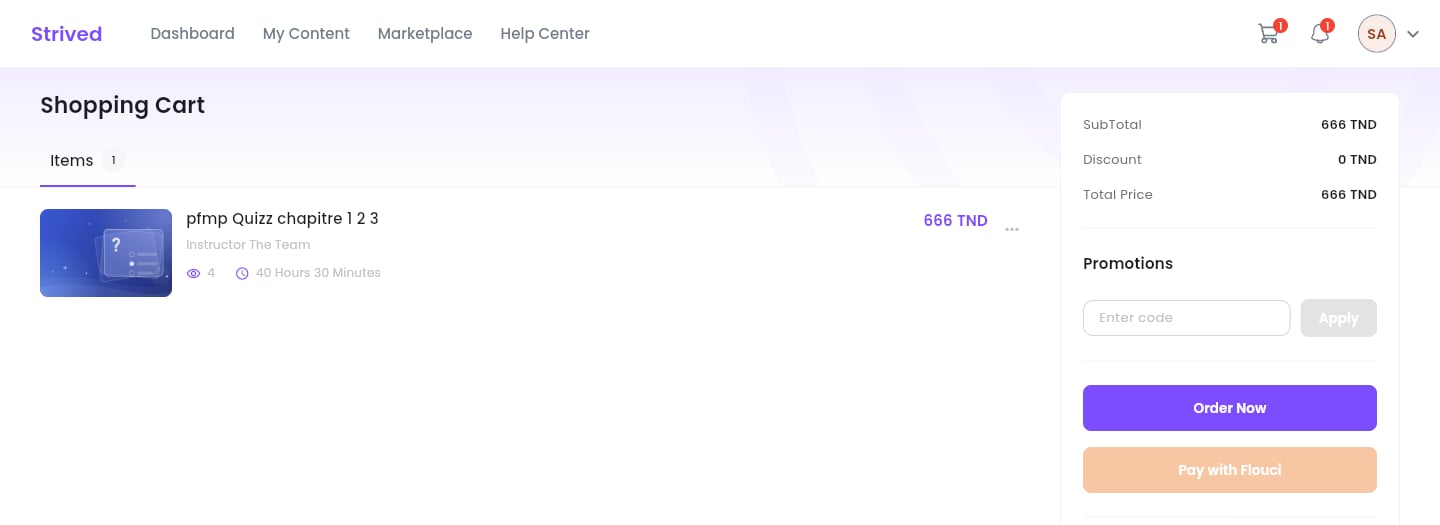
The cart: your items on the left, the summary and payment on the right.
1
Check your items
The Items tab lists what is in your cart, with each price. The ⋯ menu on a row lets
you remove it from the cart.
2
Apply a coupon (optional)
If you have a discount coupon, type its code in Promotions, then click Apply. The
Discount and the Total Price update.
3
Place your order
Click Order Now to pay offline: bank transfer, payment in person at our offices, cheque,
and so on. Online payment (Pay with Flouci) is not available yet.
Step 4 — Follow your order
Your orders are listed in Settings → Orders History (avatar menu → Settings), with their reference, number of items, price, date and Status: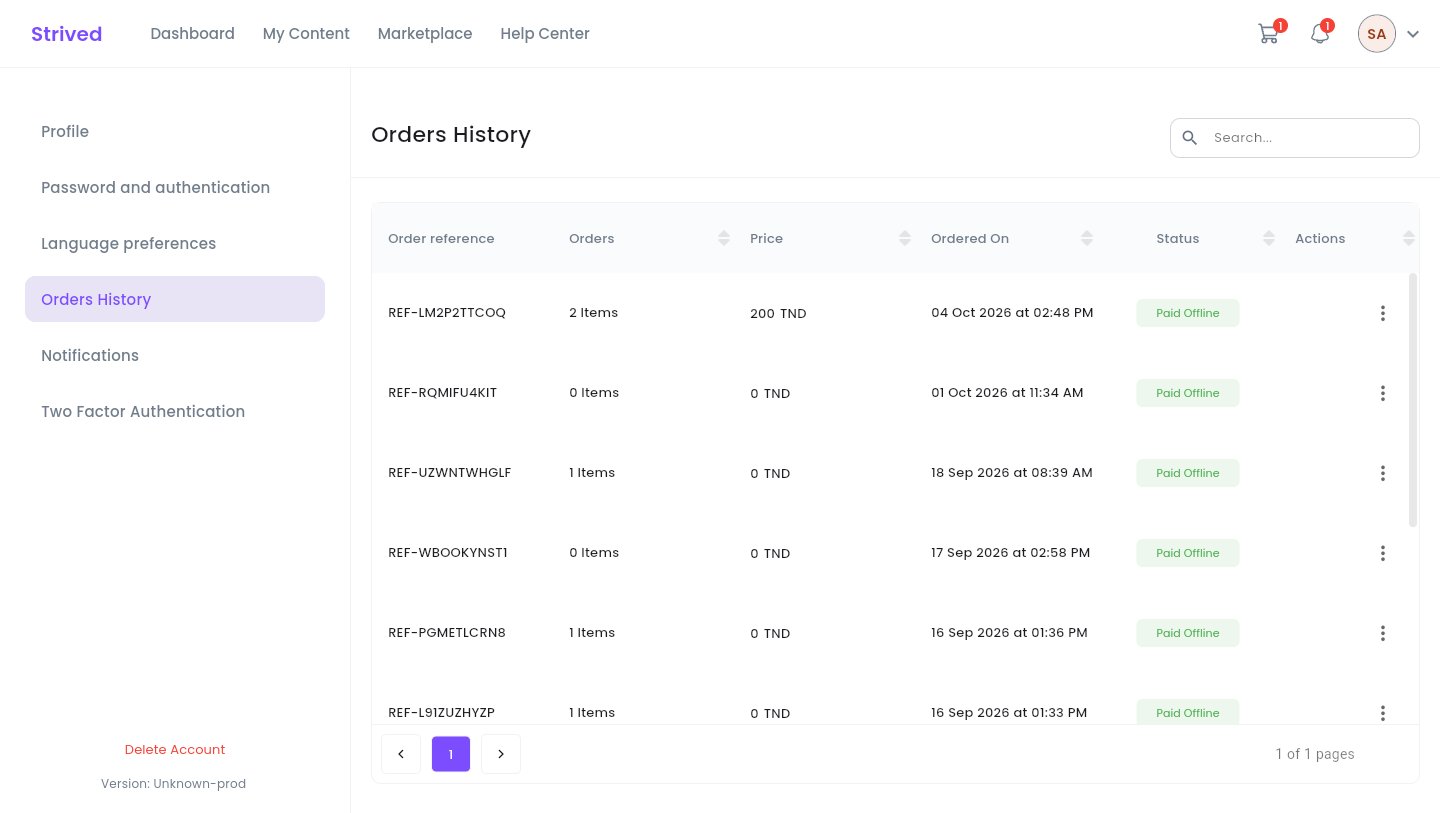
Settings → Orders History.
Good to know
Coupon or voucher: what is the difference?
Coupon or voucher: what is the difference?
A coupon is a discount code: you type it in the cart, in Promotions, before ordering.
The top learners of the leaderboard earn some. A voucher unlocks a set of trainings and
exams for free; it arrives by e-mail and goes into Apply voucher — see
Use a voucher.
“You already have these items in an order that is Pending…”
“You already have these items in an order that is Pending…”
A pending order already contains this item. Find it in Settings → Orders History and pay
it, instead of creating a new one.
“You cannot add this item to your cart because it was previously unassigned from your account…”
“You cannot add this item to your cart because it was previously unassigned from your account…”
The administration removed this training or exam from your account. Contact support from the
Help Center.
Where do I find what I bought?
Where do I find what I bought?
In My Content: trainings under My Trainings, mock exams under My Exam Simulator.